
Hamsters and Tiny Treasures

100%
Hamsters and Tiny Treasures
Getting the picture ready…

How to play

Find the things on the list. Take your time.

Tap a picture or word on the list to hear its English name. In Game settings, choose Pictures, Pictures and words, or Words.

Move the magnifier with the arrow keys. Enter or Space selects. Tab moves to the next control.

More about the controls

Search with the mouse or arrow keys. Select with a click, Enter or Space. Use + to enlarge the picture, then use the wheel to zoom and drag to move it. At Fit image, the wheel scrolls the page.

Tap the place you have found. Spread two fingers to zoom and drag to move the enlarged picture. At Fit image, swipe vertically to scroll the page.

Arrow keys work as soon as the picture is ready. Full screen is optional. They continue from the last mouse position, or from the centre of the visible picture if you have not used the mouse. Enter or Space selects once. Move the mouse to take over again. + and − zoom; 0 or Home fits the picture. Tab is another way to enter or leave the picture. Escape closes a preview or larger view; the browser also exits full screen.

Similar puzzles

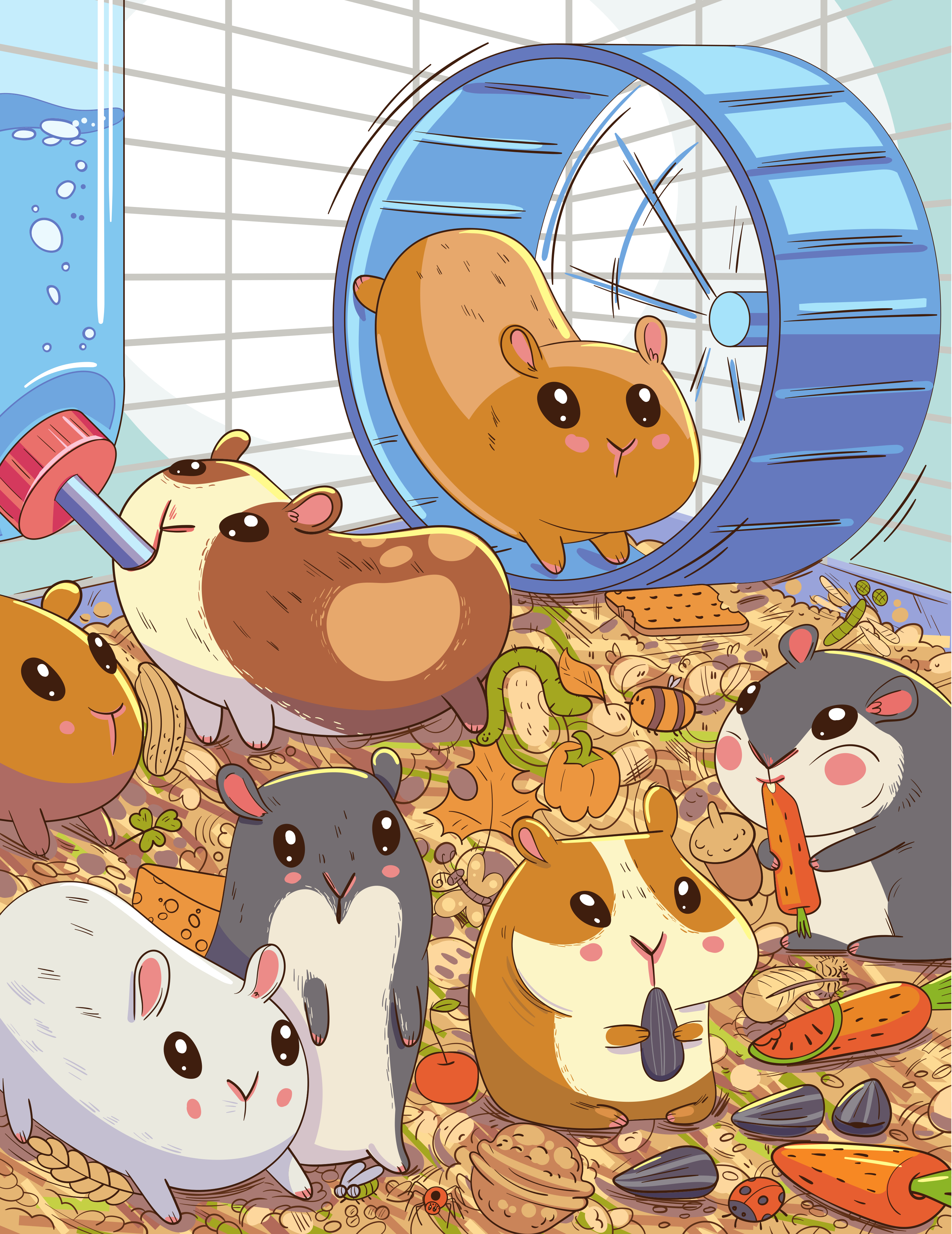
Find hidden objects — Hamsters and Tiny Treasures

Explore the hamsters’ home, from the wheel to the bedding. Small shapes and tucked-away details hide among the busy lines. Enlarge the picture to inspect the tiniest clues. This version has 20 selected things to find.

Find 20 things from the list. Some are hidden as shapes or partly covered. Take your time.
A little pause for your ears

Classical music while you play

Play

Games may start music automatically. Your pause is remembered; your browser may require Play.

Recording & licence

Recording source

Choose language

Ladybug adventure